
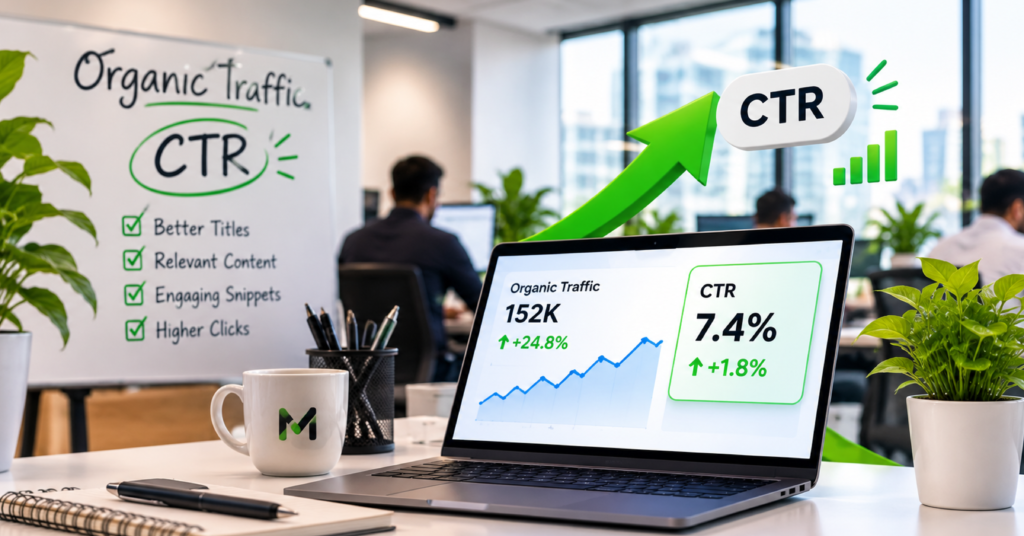
To improve organic CTR, start with a page that already appears for searches that matter to your business. Find out what people want, compare the result they see with what the page offers, and make one change you can measure. A result can rank reasonably well and still give shoppers too little information to choose it.Take a Riyadh office furniture supplier whose page appears for searches about meeting room tables. If the title says only “Products | Company Name”, buyers cannot tell whether the page shows conference tables, desks or chairs. A more specific title could help. Before rewriting it, check that the query is relevant, that the page has a useful number of impressions, and that the page actually shows the tables.
1 Understand what it means to improve organic CTR
Organic CTR is the percentage of search impressions that turn into clicks. Divide clicks by impressions and multiply by 100. For example, 90 clicks from 6,000 impressions gives a CTR of 1.5%. In this guide, use the Google Web search report and keep the same search type for your comparisons.CTR describes what people did when a result was shown. It does not tell you whether they were the right people or whether they placed an order. A more precise title may attract fewer shoppers who want a service you do not provide and more prospects who do. Check enquiries or orders alongside CTR before deciding the change helped the business.There is no single good CTR for every page. Someone searching for your company by name is already looking for you. Someone comparing furniture suppliers may see ads, map results and several sellers before reaching your listing. The two searches can have very different CTRs even when both results appear in similar positions.
2 Choose a page with room to earn useful clicks
In the Search Console Performance report, choose Web search and select Saudi Arabia. Pick a complete date range long enough to capture useful data. Then open Pages and look for URLs with relevant impressions and relatively few clicks. Open a candidate page and review its Queries before choosing it.Set aside results with very little data. If a search produced two clicks from 20 impressions one week and one click from 20 the next, CTR fell from 10% to 5% because of a single click. Combine relevant query variants when they represent the same intent, or wait for a longer period. Keep unrelated queries out of the comparison.Start with pages that already have some visibility for a service, product or question they can answer well. When a page rarely appears at a useful position, it may be a better candidate for content or technical work. Check the on-page SEO checklist for Saudi Arabian websites if you need to improve the page before refining its search result.

3 Check position and the mix of searches
Use a page and query pair, or a small group of similar queries, to make the comparison. A product category might gain impressions for broad research queries and lose overall CTR because those impressions are harder to convert into clicks. Its result could still be doing well for people who search for the exact category.Compare position alongside CTR and split mobile from desktop when the sample supports it. If average position slipped from around four to around nine for the same query group, fewer clicks per impression might reflect the change in visibility. If the result appears at roughly the same position but attracts fewer clicks, inspect the result and its neighbours. Average position can still hide variation, so treat it as context rather than a guarantee that the listing appeared in one fixed place.Check brand terms separately when possible. Filter for the business name and common spelling variants, then review relevant non-brand queries separately. For bilingual pages, group Arabic and English terms by the way customers actually search. A city word can help identify a local query, but a Search Console country filter cannot isolate Riyadh. The Arabic and English keyword research guide shows how to build groups that reflect intent.
4 Decide what the search result needs to say
Look up representative searches on a device relevant to the audience. Record the title Google displays, a sample snippet and any ads or prominent search features. A manual check is one example of what someone may see, so do not substitute it for the performance data. When the results differ by query, ask which version your important customer is more likely to see.A useful title tells people what the page contains and why it fits their search. For a category that shows several meeting room tables in Riyadh, “Meeting Room Tables in Riyadh | Company Name” provides more information than “Products | Company Name”. If the page shows only a single item, the product name and size belong closer to the front. Avoid adding Riyadh to every title if the page does not offer anything specific to Riyadh.Write a meta description that makes the next step clear. A supplier might use: “Compare meeting room tables by size and finish. Check delivery options in Riyadh and request a quote for your office.” Use those details only if the page includes them. A restaurant, clinic or professional service page should make the same kind of check against its actual offering.
5 Give Google consistent information about the page
Google can generate a title link from sources such as the HTML title, prominent page headings and other signals. It can also generate a snippet from relevant text on the page and may use the meta description when appropriate. A WordPress preview shows what you entered. It does not guarantee that Google will use the same text for every query.If the displayed title is vague or keeps changing, check whether the page sends mixed signals. An SEO title may say “Office Cleaning in Riyadh” while the most prominent heading says “Integrated Business Solutions”. Revise the heading if it fails to identify the service. Put a concise service description near the top and make sure the main content supports the description. Keep the language of the title and page consistent.Large groups of near identical titles make it harder for shoppers to tell which result they need. For branches, distinguish pages with actual details such as area, service availability or appointment method. For products, use a distinguishing name, size or specification that appears on the page. Keep the URL stable when you are only improving its title or description.
6 Measure one meaningful change at a time
Record the URL, target queries, current title, date and baseline figures before publishing the edit. Pick a comparable review window and check whether Google has had time to recrawl the page. You may see different titles for different searches after the change. Capture a few examples when practical and keep a note of other events, such as a sale or a template release, that might affect the comparison.Here is a hypothetical example. A category gets 90 clicks from 6,000 impressions in the first period, for a CTR of 1.5%. After the edit, it gets 126 clicks from 6,300 impressions, for a CTR of 2.0%. That is an increase of 0.5 percentage points and 36 clicks. At the old CTR, 6,300 impressions would produce about 95 clicks. The new rate is consistent with additional clicks beyond the impression increase, but the comparison alone cannot prove the title caused them.Check whether the extra clicks came from your target group and whether customers took a useful next step. If quote requests held steady while irrelevant clicks rose, narrow the title and review who the page is attracting. If the title stayed unchanged in search and position improved, the ranking shift may explain more of the change than the wording you entered.
7 Repeat the work where the evidence is strongest
Start with a small group of pages so you can keep track of what changed. Give priority to an offer the business can fulfil and a page with enough relevant impressions to evaluate. Record the observed CTR, the problem in the result and the improvement you made. Include the same comparison for an unchanged page if it provides a useful reference.Where results remain weak, check whether the issue is the offer, the page or the surrounding results. A furniture supplier cannot fix an uncompetitive delivery time by promising faster delivery in its title. It can clarify actual terms and make it easier for the right buyer to find them. A result at a much lower position may need a different plan from a result with steady visibility and a vague title. Keep both in the same review sheet, but give them different next steps.